Clime: NOAA Weather Radar Live
Mosaic SrlWeather
4.246.05K Reviews
- Version
- 1.72.7
- Installs
- 10.00M
- Age Rating
- Everyone
Screenshots
Our Review of Clime: NOAA Weather Radar Live
 Analysis by Appyee
When I decide whether a weather app is worth keeping, I look beyond the forecast: I want a quick way to judge what is happening nearby and whether it could change my plans. Clime: NOAA Weather Radar Live is a weather app from Mosaic Srl built around radar and day-to-day forecasts. I find it most useful when I need to check conditions visually, rather than just read a single temperature and a chance of rain.
Clime is free to download, with in-app purchases listed from $0.99 to $81.99 per item. That makes it possible to try the app without paying upfront, but the range is broad enough that I would check what a particular purchase includes before spending. I wouldn’t assume that every useful feature requires payment, or that a paid option is necessary for casual checks; the sensible approach is to start with the free access and decide whether the way you use the app justifies anything more.
Where the radar earns its space
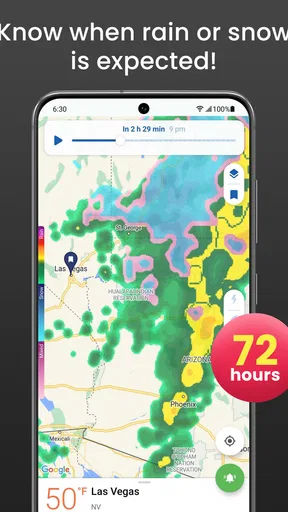
The strongest reason to try Clime is the map. A conventional forecast is good for answering “What should I expect today?” A radar view is more helpful when I’m asking “Is that rain moving toward me?” Those are different questions, and having the map ready can make a practical difference when I’m deciding whether to leave now, wait a little, or change an outdoor plan.
For example, on a morning when I need to walk to a bus stop, I can check the local conditions before leaving, then look at the radar if the sky turns dark. That does not make the weather predictable minute by minute, but it gives me another way to assess what may be approaching. I’d treat radar as a useful snapshot, not a guarantee that a shower will miss a particular street.
The app also has a 7-day forecast, weather alerts, and sunrise and sunset times. I see those as complementary tools rather than reasons to expect perfect certainty. A longer forecast helps with broad planning, while alerts can draw attention to conditions worth checking. Sunrise and sunset times are handy for fitting a walk, drive, or outdoor task into daylight without opening a separate app.
First Impressions and User Interface
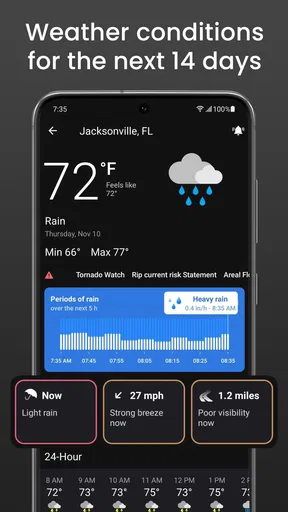
The first thing you'll notice about Clime: NOAA Weather Radar Live is its clean and intuitive design. It's like they knew exactly what we needed and made sure the layout was user-friendly. As soon as you open the app, you’re greeted by a sleek interface displaying current weather conditions. Everything is laid out in a way that makes sense, and even if you're not a tech wizard, you'll find it easy to navigate.
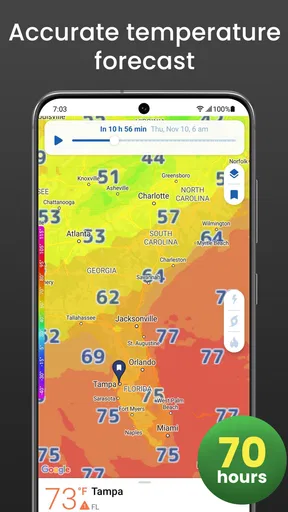
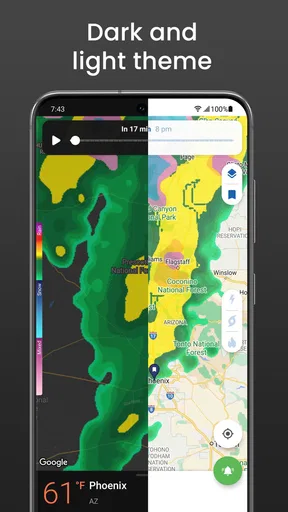
One of the standout features is the interactive weather map. You can zoom in and out to see different areas and get detailed weather information. The map is responsive and updates in real-time, which is super handy if you're tracking a storm or trying to figure out if that dark cloud overhead is just passing by.
Features That Stand Out
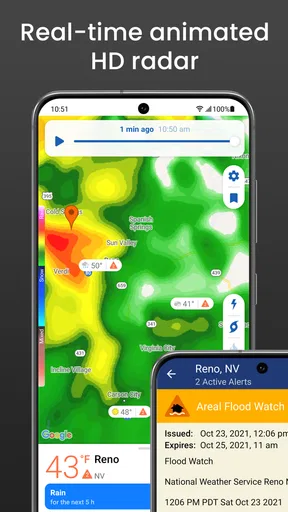
Let’s dive into some of the features that make this app shine. First up, the real-time radar. This is probably where the app earns its stripes. It provides detailed radar imagery and up-to-date weather conditions, which is a blessing when you're planning outdoor activities.
"The clarity and accuracy of the radar images are top-notch. It's like having a meteorologist in your pocket."
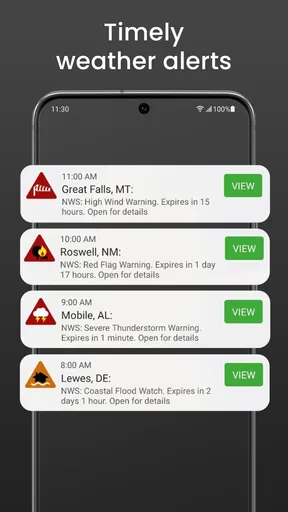
Then there's the weather alerts. You can customize these alerts to your preference, which means you’ll get notified about severe weather, but you can also choose to get updates on more minor conditions if that’s your thing. It's like having a personal weather assistant keeping you in the loop.
Another cool feature is the 7-day forecast. It’s detailed and gives you a heads-up about what to expect in the coming week. I found this especially helpful for planning weekend getaways. You also get access to sunrise and sunset times, which is a nice touch.
Getting more useful checks from the map
A small habit makes the radar easier to use: check the map with a specific decision in mind. If I’m planning a short errand, I look for the broad direction and coverage of rain rather than trying to interpret every patch of color. For a longer drive, I would check the destination as well as home, then compare the picture with the forecast instead of assuming the conditions along the route will match either endpoint.
It also helps to distinguish a changing radar image from a promise about the next hour. Weather can shift, and a map can make a moving band look more precise than it feels on the ground. I use it to decide whether to take a raincoat or reconsider timing, not to make safety-critical calls based on a single glance. For threatening conditions, I would pay attention to official local guidance and alerts rather than treating any one app as the final authority.
Cost, access, and what I would pay for
The free starting point is a meaningful advantage for anyone comparing weather apps: you can see whether Clime’s map-centered approach fits your routine before making a purchase. The presence of in-app purchases means the experience can have paid options, but the listed price range alone does not tell me which option is best for a particular person. I’d inspect the purchase details in the app and weigh them against how often I use the feature in question.
For an occasional forecast check, I would be cautious about paying simply because an upgrade is offered. If I were checking radar repeatedly for outdoor work or making frequent plans around changing weather, a paid option might be easier to justify, provided it offers something I actually use. The key question is not whether the app has purchases, but whether a specific purchase solves a recurring problem for me.
Who benefits most—and who may prefer another app
I think Clime is a natural fit for people who like seeing weather on a map: commuters who walk or cycle, families coordinating outdoor plans, and anyone who wants to keep an eye on rain near home. It can also suit someone who already knows how to read radar and wants that view alongside a weekly outlook and alerts. Its broad adoption—over 10 million installs and an average rating of 4.2 from around 421,000 ratings—suggests that many people find this style of weather app useful, though popularity alone cannot guarantee that it will suit your location or habits.
If you mostly want a quiet glance at the temperature, a basic weather app or the forecast built into your phone may be simpler. Likewise, someone who needs specialist forecasting for a particular activity should compare Clime with tools designed for that need rather than assume a general weather app covers every detail. The best choice depends on the question you ask most often: a map for nearby precipitation, or a minimal forecast with as little interaction as possible.
Performance and Experience
In terms of performance, Clime runs smoothly without any noticeable lags. The app updates quickly, which is crucial for a weather app. You don’t want to be caught in a downpour because your app was slow to update!
The app is available for both Android and iOS, and from my experience, it works seamlessly on both platforms. The developers seem to be on top of updates and bug fixes, which is always a reassuring sign that they’re committed to improving user experience.
Practical limits to keep in mind
Radar is most compelling when precipitation is relevant; it is less decisive when my real question is about a broader mix of conditions or how comfortable the day will feel. In those moments, I rely more on the forecast than on the map. That distinction matters: Clime’s visual strength should not make me overlook the other information I need before a hike, a long drive, or an event that is difficult to reschedule.
Notifications also deserve a little thought. Alerts can be useful when they bring important changes to my attention, but any weather app can become distracting if I enable more notices than I need. I would begin with the alerts that affect safety or plans, then adjust only if I find myself missing something useful. That keeps the app helpful rather than turning every change into an interruption.
Clime is rated for Everyone, and its current version is 1.72.7. It has been available since May 4, 2016, and the combination of a straightforward forecast with radar gives newcomers a reasonable starting point. I would still spend a few minutes learning what the map is showing and checking that the locations I care about are set correctly; those small steps make later checks faster and less prone to misreading.
Personal Thoughts
So, what’s the verdict? Well, I have to say, I’m pretty impressed. Clime has become my go-to app for weather updates. It combines accuracy with a user-friendly interface, and let’s be honest, that’s pretty much all you can ask for in a weather app.
Whether you’re a weather enthusiast or just someone who wants to avoid getting caught in the rain, this app has something for everyone. It's not just about the weather; it's about planning your life around it, and Clime helps you do just that.
My buy-or-skip verdict
I’d try Clime if radar is the feature I reach for most, especially because the app is free to download and I can judge its everyday usefulness before considering an in-app purchase. I’d skip paying until I knew exactly what an item unlocks and could name a regular need it would meet. That is a more grounded way to assess value than treating every paid option as essential—or assuming every one is poor value.
For a person who wants a simple temperature check, the default phone forecast may be enough. For someone who wants to see weather patterns around a commute or outdoor plan, Clime offers a more visual way to make that decision, balanced by the need to interpret radar sensibly. I’d keep it for that practical map view, while using local official guidance when conditions are serious.
In conclusion, if you're in the market for a reliable weather app that offers a little bit of everything, give Clime a try. It’s worth the download, and you might just find it becomes an essential part of your daily routine. Stay dry out there!
Verdict
Strengths of Clime: NOAA Weather Radar Live
- Accurate real-time weather data
- Intuitive and user-friendly interface
- Customizable alerts for severe weather
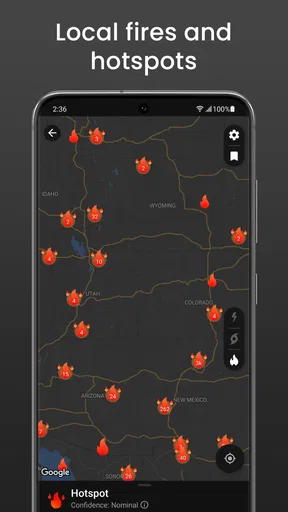
- Detailed radar maps with overlays
- Fast loading and responsive app
Limitations of Clime: NOAA Weather Radar Live
- Frequent ads in free version
- Some features require premium subscription
- Occasional location inaccuracies
- Limited offline functionality
- Battery consumption can be high
Other Releases by Mosaic Srl
View All
Weather Live°
Weather4.4

Blossom - Plant Identifier
Education4.4

Planes Live - Flight Tracker
Travel & Local4.0

Robokiller - Spam Call Blocker
Communication3.8
Similar Picks in This Category
View All
Weather - By Xiaomi
Xiaomi Inc.4.1

Weather & Radar Forecast
WetterOnline4.8

Weather
OneLouder Apps4.6

AccuWeather: Weather Radar
AccuWeather3.6

The Weather Channel - Radar
The Weather Channel4.6

1Weather Forecasts & Radar
OneLouder Apps4.3
You May Also Like
View All
Frequently Asked Questions
What features does Clime: NOAA Weather Radar Live offer?
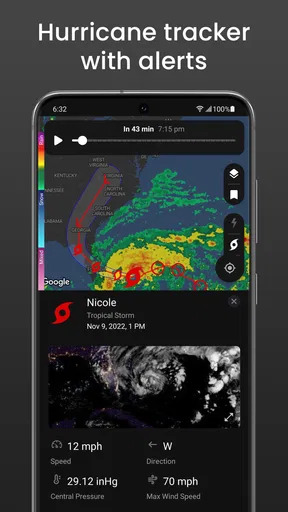
Clime: NOAA Weather Radar Live provides real-time weather radar imagery, detailed forecasts, and severe weather alerts. Users can access interactive maps, track hurricanes, and receive precipitation notifications. The app also offers customizable weather widgets, allowing users to tailor the information to their preferences, making it a comprehensive tool for weather monitoring.
Is Clime: NOAA Weather Radar Live free to use?
Clime offers both free and premium versions. The free version includes basic features like radar maps and forecasts, while the premium subscription provides ad-free access, additional features such as lightning alerts, and extended radar coverage. Users can choose based on their needs and budget, with subscription options available for monthly or yearly payment plans.
How accurate is the weather data provided by Clime?
Clime sources its weather data from NOAA, ensuring high accuracy and reliability. The app provides up-to-date information based on the latest meteorological data and models. While no weather app can guarantee 100% accuracy, Clime is known for its precision in forecasting and timely updates, making it a trusted choice for users worldwide.
Can I use Clime: NOAA Weather Radar Live offline?
Clime requires an internet connection to download the latest weather data and radar imagery. However, once downloaded, some information may be cached for offline viewing. For real-time updates and accurate forecasts, an active connection is essential, especially for features like live radar and severe weather alerts.
On which devices is Clime: NOAA Weather Radar Live available?
Clime: NOAA Weather Radar Live is available for both Android and iOS devices. It can be downloaded from the Google Play Store and the Apple App Store. The app is optimized for smartphones and tablets, ensuring a seamless user experience across different devices. Regular updates ensure compatibility with the latest operating systems.
